Ever lost a reel when you really needed it?
You save the recipe. The trip. The workout you swore you'd try. Then it sinks into a folder of four hundred and you never see it again. Share a reel to Trott and it reads the whole thing, caption and video, then hands back what mattered the moment you ask.
Live on iOS and Android. Free to start.
Make reels too? Trott hands you the transcript and structure to study what works.
Works with the apps you already scroll
Your saved folder is where good ideas go to quietly die.
Tapping bookmark feels like doing something. It isn't. Three weeks later you're planning the trip, and the one perfect reel is buried in a list of four hundred. No search, no notes, no idea which thumbnail it even was.
-
You can't search a video.
The recipe, the address, the product name. All locked inside footage.
-
The point was at 0:34.
Re-watching the whole thing to find one detail. Every single time.
-
Folders are a second job.
Nobody actually files their reels. Be honest.
Share it once. Trott does the boring part.
Four steps, and three of them are just you scrolling like normal.
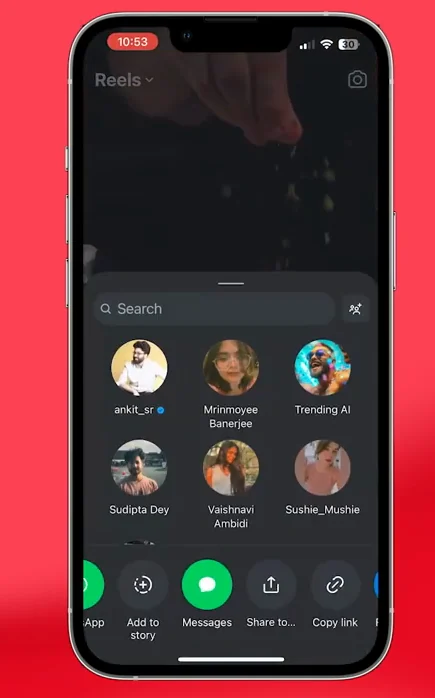
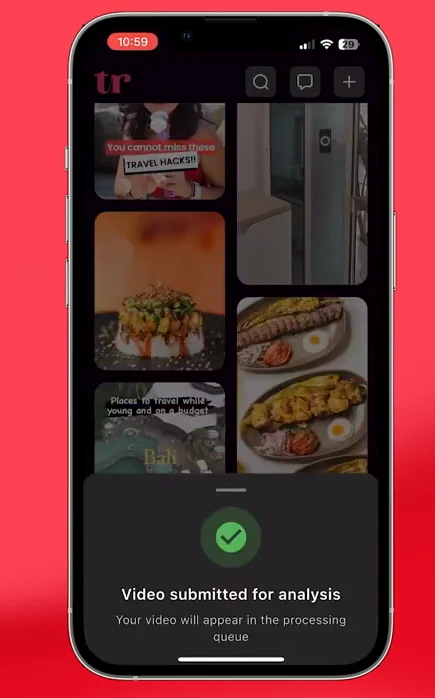
Hit share. Pick Trott.
From Instagram, TikTok, or YouTube, wherever you found it. One tap and you're back to scrolling.
It watches the whole video.
Caption and footage, both. Trott writes down what's actually in there, so the good part isn't stuck at 0:34 anymore.
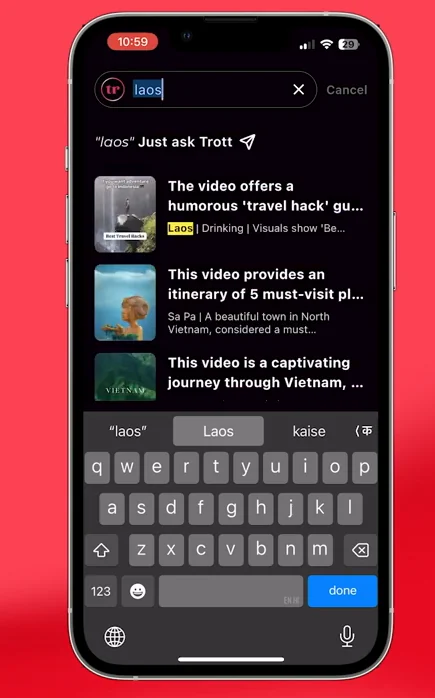
Ask like you'd ask a friend.
Trott's assistant has already read everything you saved, so just ask: "those cafes in Bali?" "the six spots in Vietnam?" It answers, and shows the reel it pulled the answer from.
Filed without the busywork.
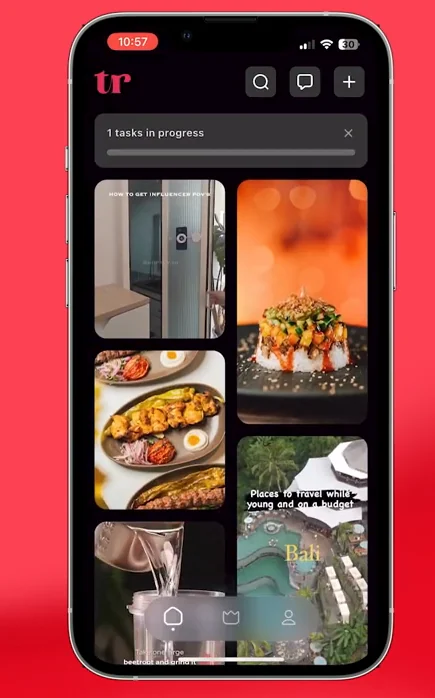
Recipes, places, products, workouts — sorted by what they are. You never make a folder.
A different card for every kind of video.
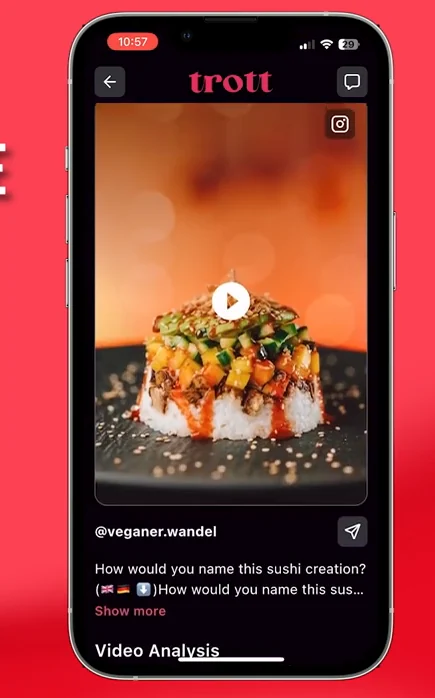
Trott spots the genre on its own, then builds a card made for it, with the buttons that genre actually needs. A movie gets a trailer. A book gets somewhere to buy it. A recipe gets steps. No folders, no tagging — it sorts itself.
Recipes
Ingredients and steps, pulled out of the video.
Travel
Every spot the reel mentioned, in one place.
Movies
The rating and the gist, minus the spoilers.
Books
The title, the take, the themes.
Products
What it is, and what it costs.
Fitness
The routine, sets and reps written out.
Fashion
The pieces that made the fit.
How-tos
Every step, in the right order.
Make reels? Trott reads them back to you.
Share any video and Trott hands you the full transcript and the content structure: the hook, the beats, the call to action. Study what's working, then lift the parts you want. A lot of creators use Trott exactly this way.
-
The full transcript, ready to copy. No re-typing, no rewatching at 0.5x.
-
The structure, broken down: how the hook lands, where the value sits, how it closes.
-
Swipe the format, not the words. Learn the shape of what works in your niche.
It's already on your phone's app store.
Search "Trott" or open the listing →
The big three today. More on the roadmap — and you can vote.
Shipped by Mrinmoyee & Sudipta for RevenueCat Shipaton 2025.
No paid reviews, no invented quotes. Just the app, on the store, today. Try it on the last reel you saved and see if it finds what you needed.
The short version.
What does Trott actually do?
You share a reel, Short, or TikTok to Trott. It watches the video, reads the caption, and writes down the useful part: the recipe, the place, the steps. Later you search or just ask for it in plain words, instead of scrolling your saved folder for twenty minutes.
Which apps can I save from?
Instagram, TikTok, and YouTube today. Hit share in any of them, pick Trott, and you're back to scrolling. Reddit, X, Pinterest, Threads, and web articles are next — you can vote for what we build on the roadmap.
Is Trott free?
Yes, it's free to start, on iOS and Android. You can save and search reels without paying. There are credit packs if you process a lot, but you don't need them to try it on the last thing you saved.
How is this different from just bookmarking?
A bookmark saves the video. It doesn't tell you what's inside. Trott reads the whole thing and pulls out the part you'd have screenshotted, so you can find it by what you remember, not by which thumbnail it was.
Does it work for recipes and travel?
Those two are what it's best at. Recipes come back as ingredients and steps you can cook from. Travel reels turn into named spots with a map. It also handles movies, books, products, workouts, fashion, and how-tos. Trott works out the type on its own.
I make content — is Trott useful for me?
Yes, and a lot of our paying users are creators. Trott gives you the full transcript and the content structure of any video: the hook, the beats, the call to action. Study what's working in your niche, then lift the format fast.
What happens to my data?
Your saved reels and the details Trott pulls out are yours. You can review or delete your data anytime from the privacy pages. Trott never posts anything. You share to it; it doesn't touch your social accounts.
Stop saving into the void.
Get Trott and actually use the stuff you save. The next great reel deserves better than your bookmarks folder.
Free to start · iOS and Android